Brand guidelines
How to handle the BotShade name, logo and colors. If you are writing about BotShade in an article, a video, a stream or a community announcement, this page is what you need.
Version 1.1 / Last updated 2026-09-17 / Published by VorEdge Inc.
This page carries the part of our guidelines that third parties need. Implementation detail delegated to our design system, and our voice and tone rules for writing, live in the full internal edition. If this page does not settle your question, please get in touch using the contacts below.
What BotShade is
BotShade is a SaaS product for building and running Discord bots without code. You design how the bot behaves in an editor by connecting blocks, then host and run it on BotShade itself. No Python or TypeScript knowledge is required. BotShade is operated by VorEdge Inc.
Boilerplate
When you need to describe BotShade in a press release, at the end of a contributed article, or in a community announcement, please use one of the following as-is. If you do adapt it, keep the facts intact: no code required, Discord bots, hosting included.
Short (one sentence)
BotShade is a SaaS product for building and running Discord bots without code.
Medium (three sentences)
BotShade is a SaaS product for building and running Discord bots without code. You design how your bot behaves by connecting blocks, and hosting is handled on BotShade as well. No Python or TypeScript knowledge is required.
Long (about 100 words)
BotShade is a SaaS product for building and running Discord bots without code. You design how your bot behaves by connecting blocks, assembling commands, automated responses and databases on screen. The bot you build runs on BotShade as it is, so there are no servers to prepare and no restarts to take care of. Without any knowledge of Python or TypeScript, you can design the mechanics your community needs yourself.
What BotShade is not
The following descriptions invite misunderstanding, so please avoid them.
It is not a Discord bot itself.
BotShade is a service for building bots. The correct description is “add the bot you built with BotShade to your server”, not “add BotShade to your server”.
It is not an official Discord service.
Discord, the Discord logo and the Discord brand color belong to Discord Inc. Wording that implies a partnership or an endorsement is not allowed.
It is not a code generator.
It is not a service where an AI writes code for you; it is a service where you assemble behavior without writing code.
It is not a service that comes with enterprise guarantees.
No SLA and no uptime guarantee are offered at this stage.
It is not a general-purpose chatbot platform.
The target is Discord.
Writing the names
There is exactly one correct spelling: BotShade. Capital B, capital S, no space between them. The same spelling is used in English and in Japanese text alike. Inside Japanese text, put a half-width space between alphanumerics and Japanese characters.
ShadeBoard and Shade Pro are spelled differently on purpose
BotShade has several Shade names, and whether they contain a space differs from name to name. This is deliberate, not an inconsistency, so please do not unify them.
The global server board
ShadeBoard
A one-word proper name following the Shade naming. Never split into two words.
The higher tier
BotShade Pro
Shortened to Shade Pro. Pro is a tier qualifier, so it is separated by a space.
The canonical plan names are BotShade Free, BotShade Plus, BotShade Pro and BotShade Max. Where the product name is obvious from context, such as a pricing table, shorten them to Free / Plus / Pro / Max.
How it is pronounced
Katakana is not used to spell the name, but the pronunciation itself is botto-shedo. In videos, streams and podcasts you are welcome to say it that way. Anywhere it becomes text — subtitles, descriptions, slides — spell it BotShade. ShadeBoard is shedo-bodo, and BotShader AI is botto-sheda A.I.
In Simplified Chinese text
Spell it BotShade in Chinese text as well; do not transliterate it. Put a half-width space between Chinese characters and BotShade. A Chinese version of this page is available at /zh-CN/brand.
Feature names
BotShader AI is the building assistant that helps you make bots inside the dashboard. Note that it is BotShader, not BotShade (there is an r at the end). It is available to all users.
The AI response feature on the bot side and BotShader AI are two different features. Referring to them together as “BotShade's AI” is misleading.
Unannounced feature names may not be used. If a name does not appear on the public landing page, in the documentation or in the release notes, do not put it in an external document.
Incorrect spellings
Wrong
Bot Shade
Right
BotShade
No space.
Wrong
Botshade
Right
BotShade
The S is capital too.
Wrong
BOTSHADE
Right
BotShade
Never all caps (the logo contains no lettering either).
Wrong
botshade
Right
BotShade
Not used in prose. Exceptions are listed below.
Wrong
BotSahde / BotShad
Right
BotShade
Misspellings.
Wrong
ボットシェード
Right
BotShade
Katakana transliteration is not used in Japanese text.
Wrong
Shade Board
Right
ShadeBoard
One word.
Wrong
Shadeboard
Right
ShadeBoard
The B is capital too.
Wrong
BotShadePro
Right
BotShade Pro
Space before the tier name.
Wrong
BotShade pro
Right
BotShade Pro
The tier name is capitalized too.
Wrong
BotShade AI
Right
BotShader AI
The trailing r is missing.
Wrong
BotShade Inc.
Right
VorEdge Inc.
The operating company is VorEdge.
Wrong
BotShadeを使ったBot
Right
BotShade を使った Bot
In Japanese, a half-width space goes between alphanumerics and Japanese characters.
In English text
Spell it BotShade in English as well. The form does not change at the start of a sentence or mid-sentence.
English headings and button labels are sentence case by default. BotShade is a proper noun and always keeps its spelling.
The possessive is BotShade's. Do not pluralize it, and do not use it as a verb.
Where lowercase is correct
The following have to be lowercase for technical reasons; they are not spelling variants. Take care not to copy these forms into prose.
Domains
botshade.com / www.botshade.com / dashboard.botshade.com / docs.botshade.com / status.botshade.com / cdn.botshade.com
Invite link
the invite code after https://discord.gg/
Auto-generated heading anchors
#why-botshade
Identifiers in code
i18n keys, event names, plugin namespaces and the like
Logo
The BotShade logo is a single single-color symbol. There is no lettered logotype, no vertical lockup and no multicolor version. The logo is square and the shape fills almost the entire export area. The file contains no internal padding, so clear space has to be provided by whoever places it.
The variations
Only the following two exist. They carry the same shape and differ only in color. Use whichever matches the lightness of the background. Do not invert the black version with a CSS filter as a substitute for the white version. Do not create any other logo.
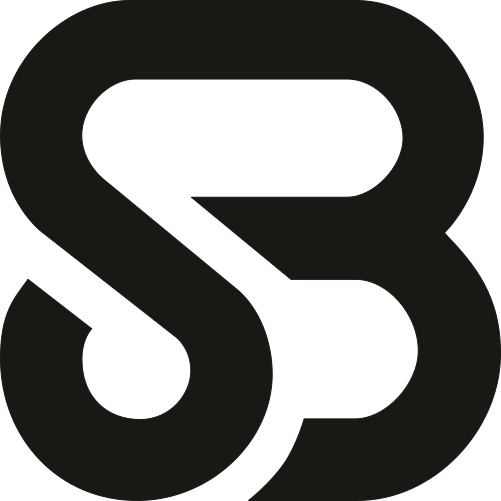
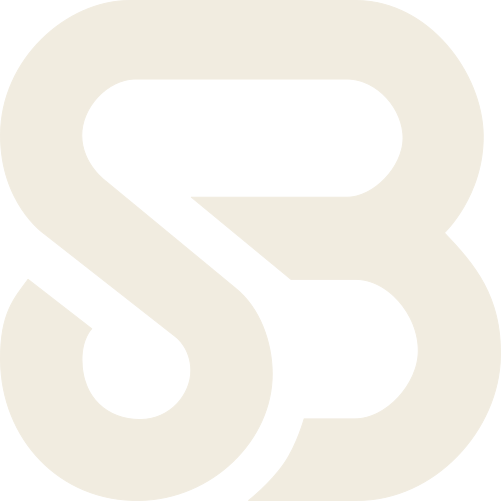
Both are SVGs. If you need a raster image, export it proportionally from those SVGs.
Minimum size
On screen
16 × 16 px
In print
4.5 mm × 4.5 mm
At 14px and below the counters inside the letterforms fill in and the outline reads as a solid blob. The white version on a dark ground spreads optically, so aim for 18px or more there.
Clear space
Keep clear space equal to the width of the logo on all four sides. The logo is square, so the amount is the same vertically and horizontally. If you place the logo at 40px, nothing at all — text, rules, images, other companies' logos — may sit within 40px of it.
The unit is the width of the logo (= 1x). Keep everything outside the dashed frame.
Setting text beside the logo
When you place a product or organization name next to the logo, keep the gap at half the logo's width as a rule, and set the type at no less than 3/5 of the logo's height and no larger than its height. For a logo placed at 40px, that means a 20px gap and a type size between 24px and 40px.
This combination is not an official logotype, only the two set side by side. Do not distribute it flattened into a single image.
Backgrounds the logo may sit on
If the logo has to go over a photograph, lay down a solid field in one of these colors and place the logo on that. Keep a contrast ratio of at least 3:1 between the logo and its background.
#E7E2D6
#EFEBE1
#F5F1E8
#16140F
#1A1814
Icon use, where clipping cannot be avoided
This section applies to us, and to anyone who has obtained our prior approval, when building an icon that represents BotShade itself. If you are a third party, placing the BotShade logo on your own account, Discord server, app or service as its icon falls under “Uses that are not permitted” below; contact us first if you need to. Within that scope: favicons, Discord server icons, avatars on X and YouTube, and OS app icons all have a circular or rounded mask forced on them by the platform. For those uses only, you may build a square icon version as follows. The prohibition on circular and rounded clipping, and the minimum sizes above, do not apply to this use.
Make the field square, filled solid with Paper #E7E2D6 or Dark canvas #16140F.
Set the logo at 66% of the field's edge, centered so the padding is equal on all four sides. That ratio keeps the shape inside the inscribed circle once a round mask is applied.
Use the black version on a light field and the white version on a dark one. Do not change the field color, color the logo, or add lettering.
Do not round or clip it yourself; export it square and let the platform apply the mask.
An icon version is not the logo as distributed, so please do not use it as the logo inside articles or decks. Official icon assets are being prepared.
Setting the logo beside another company's logo
Logos may not be merged, but setting them side by side is fine. When you do:
Leave a gap of at least the width of the logo (1x clear space).
Match them optically. The BotShade mark is square, so match it to a wide logo by visual area rather than by height.
A hairline divider of about 1px is fine, placed outside the clear space. It is not required.
Boxing them together into one mark, harmonizing their colors or typefaces, or joining them with a × or a + reads as a partnership, and needs prior approval.
Prohibited uses
All of the following are prohibited. Every specimen uses the black logo; the fourth deliberately sits on a ground close to it in lightness, to show insufficient contrast.
Changing the aspect ratio
Always scale proportionally.
Changing the color
No color other than black or white, and no gradients or textures.
Adding a shadow or a glow
No drop shadows, blur, glow or extrusion.
Placing it on a low-contrast background
Keep a contrast ratio of at least 3:1.
Prohibited uses not shown above
Editing, transforming or otherwise altering the logo files. The items below are the most common cases; alterations not listed here are equally unacceptable.
Changing the shape: removing, adding or rearranging any part of it.
Rotating, skewing or mirroring it.
Clipping it to a circle, a rounded rectangle or any other shape. The logo is exported with zero padding, so the corners get cut off (icon use, below, is the exception).
Applying a mask or a cutout to it, and knocking the logo out by laying another shape over it.
Taking one part of the logo out and using it as a mark on its own.
Animating the logo, including any treatment involving movement, transformation or flashing.
Placing text, rules, other companies' logos or badges inside the clear space.
Combining it with lettering to make your own logotype, or putting lettering inside the logo.
Using the logo in place of a word in running text (the “built with ◯◯” logo substitution).
Merging it with another company's logo, or absorbing it into one as a component.
Compositing it with other elements into a single device, and creating your own lockup (a fixed combination of the logo with text or graphics).
Repurposing the BotShade logo as the icon of your own app, service, account or Discord server. (“Icon use” below covers us, and anyone with our prior approval, building an icon that represents BotShade itself.)
Color
The color that represents the BotShade brand is marigold #C98A1E. It is the one brand color; there is no second. In the dark theme it becomes #E8B65E. Marigold works as the brand color not through the area it fills but through repetition — it turns up across the interface as the shadow that sits on the edge of whatever element leads. Its use is confined to the signature shade and the highlighter; it is never filled as an area.
Brand color
Marigold changes with the theme, so do not quote it as a single hex. #C98A1E sinks into a dark ground.
Marigold
#C98A1E
The brand color. The light-theme value (token --bs-marigold)
Marigold (dark theme)
#E8B65E
The dark-theme value of --bs-marigold
Highlighter fill
#F2C879
The fill of the highlighter marker (token --bs-marigold-mark). Becomes a translucent marigold in the dark theme
The fill of a primary action in the UI — a primary button, for instance — nonetheless stays ink #1A1814. “The color that represents the brand” and “the color that marks the primary action on screen” are rules at two different layers, and marigold answers the first while ink answers the second. Do not fill button grounds or backgrounds with marigold.
Base and ink
The rest of the palette is built on a warm paper base and a warm black ink rather than a neutral one. Pure white #FFFFFF and pure black #000000 are used neither as a base color nor as a text color. Color is used only to carry meaning.
Ink
#1A1814
Primary text color and primary button fill; the black logo is this value (token --bs-ink; #F1ECE0 in the dark theme)
Paper
#E7E2D6
Base color of the light theme (token --bs-canvas)
Surface
#EFEBE1
Panels and content areas (token --bs-surface; #201D16 in the dark theme)
Bone
#F5F1E8
Card surfaces, and text set on ink (token --bs-raised; #2A261D in the dark theme)
Dark canvas
#16140F
Base color of the dark theme (token --bs-canvas)
Dark ink
#F1ECE0
Text color of the dark theme (token --bs-ink)
For meaning, success is #3E8F57, caution is #C98A1E and danger is #C8453B. These are colors that report a state. Caution shares its value with marigold, but in that position it is reporting a state rather than expressing the brand; please do not conflate the two uses.
Colors allowed around the logo
On a light ground, place the black version on Paper #E7E2D6, Surface #EFEBE1 or Bone #F5F1E8. On a dark ground, place the white version on Dark canvas #16140F, Surface #201D16 or Bone #2A261D. The white version may also sit on a solid field of Ink #1A1814 in the light theme.
Colors to avoid
Pure white #FFFFFF and pure black #000000. Neither is used as a base color or as a text color.
Cool grays, blue-tinted blacks, and lavender-tinted base colors.
Highly saturated colors such as purple, magenta or teal as a primary fill.
Marigold as a filled area. Do not use it for button fills or backgrounds; it is for the shade and the highlighter only.
Gradients of any kind.
The Discord brand color #5865F2 outside a Discord context. It is another company's brand color.
How to think about contrast
The floor is a contrast ratio of 4.5:1 for body text, and 3:1 for large headings (roughly 24px and above) and for the logo. Data values such as numbers, IDs and latencies are not colored; they stay in ink.
Typography
Which typeface goes with which use. Weights and tracking are set out in the full internal edition.
Headings and display
Bricolage Grotesque
Body and UI (Latin)
Hanken Grotesk
Body and UI (Japanese)
Zen Kaku Gothic New
Technical tokens
JetBrains Mono
Fallbacks
Where the specified typefaces are not available, substitute in this order. Serif, mincho, script and decorative faces are not used.
Bricolage Grotesque
Hanken Grotesk bold → any available bold sans-serif
Hanken Grotesk
Inter → the system sans-serif
Zen Kaku Gothic New
Noto Sans JP → Hiragino Kaku Gothic → Yu Gothic
JetBrains Mono
Any monospace
Montserrat and Zen Maru Gothic belong to the previous brand and have been retired. Do not use them in new work.
Third-party use
This section is for people outside VorEdge Inc.: media, affiliate participants and community operators.
Uses that are permitted
You may do the following without contacting us in advance.
Using the BotShade name, logo and screenshots in accordance with this page.
Introducing, explaining or reviewing BotShade in articles, videos, streams, meetup slides and so on. That includes criticizing it; being positive is not a condition.
Displaying logo.svg / logo-inverse.svg within such material, as specified on this page.
Publishing product screenshots. Do not rewrite UI copy, numbers or charts, and mask any username, avatar, server name, email address or token that appears in the frame.
Quoting the boilerplate verbatim, or adapting it without changing the facts.
Stating the fact that you use BotShade. That includes labeling a bot built on BotShade as “Made with BotShade”, in text. Its profile, a command response or a distribution page are all fine. Turning that into a badge carrying the logo needs prior approval, below.
Using the brand assets to point your readers, viewers or community members to BotShade, including using the word BotShade in that context. An article or a video carrying an affiliate link or another pay-per-result link counts as this kind of referral.
Without contacting us first, you may use the brand assets in digital media only — websites, videos, streams, social media and in-app display. Use in printed matter, promotional items, signage or other physical goods falls outside what this page permits without approval. It is not prohibited: ask us in advance, as set out under “Uses that require prior approval” below, and you may use the brand within the scope we approve. The same applies when you print and hand out something you produced digitally, such as meetup slides.
Uses that are not permitted
None of the following is permitted.
Presenting yourself as BotShade, or as an operator or an official account of BotShade.
Presenting yourself as endorsed, partnered with, cooperating with, sponsored or invested in by BotShade or VorEdge Inc.
Incorporating BotShade, ShadeBoard, BotShader or any other of our trademarks — or a confusingly similar name — into a brand name, company name, organization name, URL or domain name, event name, product name, logo or social account name. For a community, event or Discord server name that is plainly marked as unofficial (for example “BotShade User Group (unofficial)”), talk to us first under “Uses that require prior approval” below.
Imitating or reproducing the BotShade website, characters, audio, imagery, or formats and layouts in a way that could lead people to mistake your own product, site or material for ours. Publishing screenshots or displaying the logo as this page describes does not fall under this.
Using any trademark, trade dress, logo, domain name or other distinguishing feature that is confusingly similar to the BotShade brand assets.
Advertising, marketing or promoting goods under a confusingly similar logo or trademark.
Modifying, coloring or adding effects to the logo (everything listed under prohibited uses).
Commercial use. By commercial use we mean using the brand assets themselves as the design of merchandise, goods or paid creative work, or otherwise turning the brand assets into a means of making money. It is not intended to prohibit ordinary circumstances such as an article about BotShade carrying advertising. A pay-per-result referral such as an affiliate link counts as the referral permitted above, not as commercial use, unless the brand assets themselves are used as merchandise or as a design. If a commercial use leaves you unsure, please treat it as a case needing prior approval, below.
Using the brand assets or the brand name for a misleading representation, an unlawful act, harassment of others, or fraudulent solicitation.
(Account holders only) Any use that breaches the Terms of Service. That includes using a Discord bot built with BotShade for spam, impersonation, fraudulent solicitation or any other purpose that violates Discord Inc.'s terms of service or community guidelines. This item applies to people registered as users of the service; if you hold no account, only what this page states directly applies to you.
Describing paid plan pricing, feature availability or security specifics inaccurately.
Any act that infringes the rights or interests, including intellectual property rights, of us, of other users or of third parties, even where it is not listed above.
Uses that require prior approval
Please talk to us first about any of the following.
Joint press releases, case studies and joint announcements.
Any display using words such as “official”, “certified”, “partner” or “recommended”.
Using the brand assets in physical media: printed matter, event banners, signage, promotional items.
Using the logo in paid advertising creative.
Any other commercial use that leaves you unsure.
Including our trademarks in a community, event or Discord server name that is plainly marked as unofficial.
Creating your own badges, buttons or embeddable widgets incorporating the logo. A text-only “Made with BotShade” needs no approval; adding the logo to it does. Official badge assets are being prepared.
Anything this page does not settle.
Trademarks and ownership
BotShade, ShadeBoard, BotShader and the logo are trademarks of VorEdge Inc.
This page stands on its own as a licence. It applies to everyone handling our brand, whether or not they hold a BotShade account. Account holders are additionally bound by the Terms of Service.
These guidelines are a supplementary provision within the meaning of Chapter 1, Article 4 of the Terms of Service. Where they and the Terms of Service conflict on brand use, these guidelines prevail. Fact-based criticism and unfavourable reviews are permitted, as stated above, and do not amount to the disparagement addressed by Chapter 6, Article 1 of the Terms of Service.
This permission is non-exclusive, non-transferable and non-sublicensable. If you commission an agency or a production studio, they may use the brand assets within the scope of that commission, but they may not redistribute the brand assets to any further party.
The brand assets are provided as is. We make no warranty as to their quality, accuracy or fitness for a particular purpose.
Do not append ™ or ®. In running text, write BotShade and nothing more.
We may revoke this permission, or revise these guidelines, at any time. If we ask you to stop, you must discontinue the use within a reasonable period, which we take to be 30 days from that notice. Articles and videos already published must be amended or taken down within that period. For material already printed and distributed, it is enough that you do not reprint or distribute it further.
For any use that breaches these guidelines, the permission covering that use terminates immediately and without notice. The period above does not apply.
This page is governed by the laws of Japan. Any dispute arising out of or relating to it shall be subject to the exclusive jurisdiction of the Tokyo District Court as the court of first instance. If you are a consumer under the Consumer Contract Act of Japan, you may also bring an action in a court of statutory jurisdiction.
Attribution
Where you use the logo or the brand name in an article, a video or a deck, please add the following line at the end (in the description, for a video).
BotShade and the BotShade logo are trademarks of VorEdge Inc.
BotShade および BotShade のロゴは、株式会社 VorEdge の商標です。
If you only mention BotShade in your text and use neither the logo nor the brand name as a mark — which is the case for an ordinary write-up — this line is not needed.
Copyright, trademark rights and all other intellectual property rights relating to the service belong to us or to the third parties holding them. Permission granted under this page does not transfer ownership of those rights, nor does it grant any licence to them beyond the limited permissions this page sets out. Account holders are additionally bound by Chapter 7, Article 1 of the Terms of Service.
The affiliate program is currently being prepared for launch. No dedicated banners or assets are being distributed yet, so until it opens, please work within this page.
Where to reach us
If anything about brand handling is unclear, please get in touch.
Brand use questions, requests for prior approval, anything else
help@botshade.comClaims of rights infringement
abuse@botshade.comQuestions about the product
Resources (knowledge base and announcements)